To create an aggregation request, please follow these stepss :
- step :
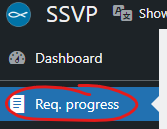
- Go to the “Req. Progress” section of the main menu.
- step :
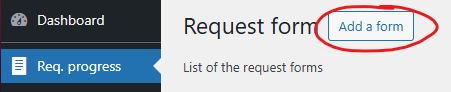
- Click on “Add a form“.
- step :
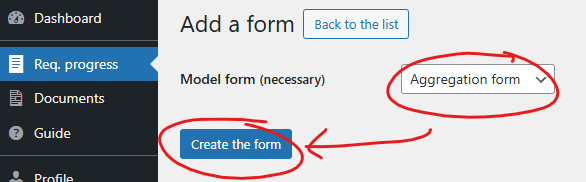
- Select the model form “Aggregation form”.
- Click on “Create the form”.
- step :
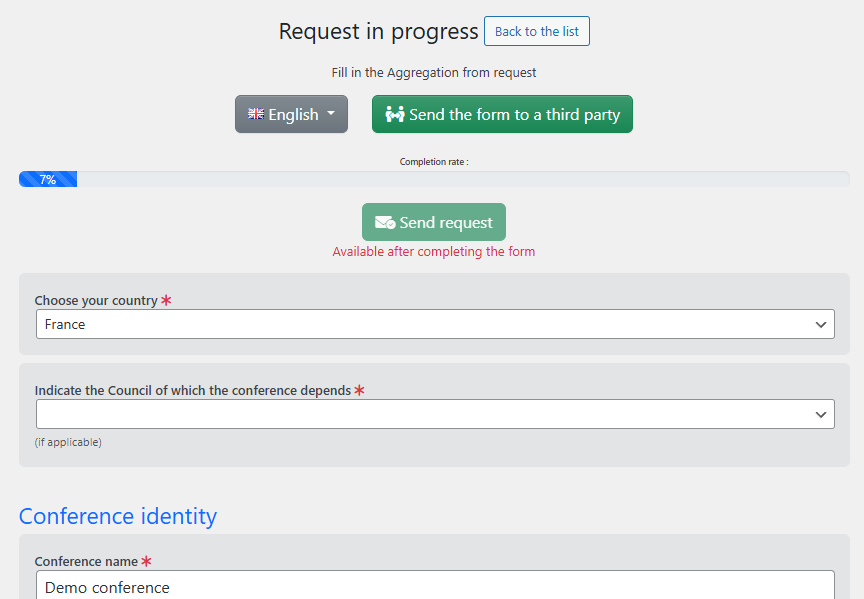
- Then fill in the fields on the form.
- You can fill in the form several times by saving your entries using the “Save my aswerss (without sending)” button.
- The fill rate for mandatory fields is displayed in % with the blue bar..
- step :
- When your form is complete, click on “Save my answers (without sending)” and then on “Send request” to send it to the CGI.
- (Once a request has been sent, it cannot be modified.)

- step :
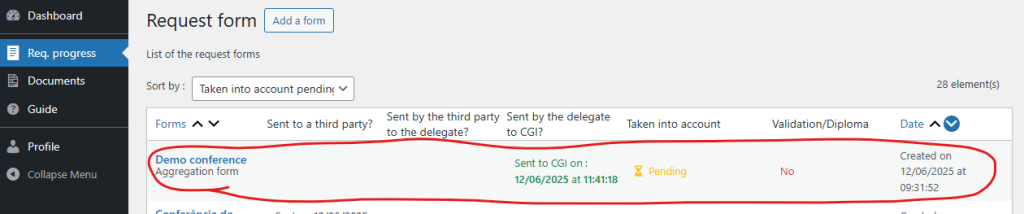
- Your request has now been created! You can follow it in the general table on the “Req. progress” page.
For more information on tracking your current requests, please continue with this guide. : Track your requests